
Swarm
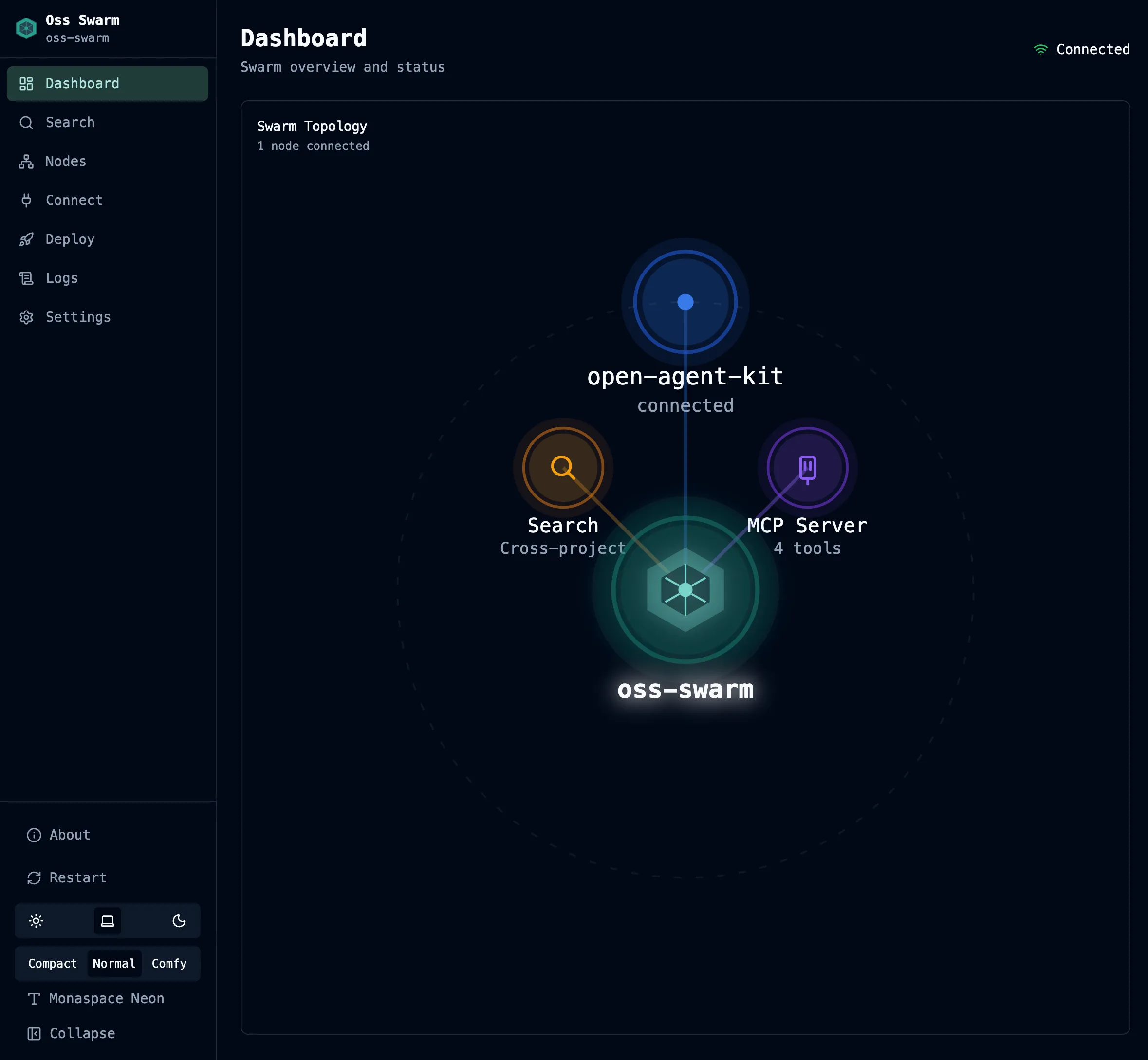
Swarm enables cross-project federation by connecting multiple OAK projects into a unified network. Where Team Sync shares observations between developers and machines on the same project, Swarm connects different projects — enabling agents to search code, query memories, and discover patterns across your entire portfolio.
How It Works
Section titled “How It Works”Swarm uses a Cloudflare Worker (similar to the Team relay) as the central registry and query router. Each project registers with the swarm Worker and advertises its capabilities. When a swarm query arrives, the Worker fans it out to all registered projects via HTTP callbacks to each project’s Team daemon.
Each project retains its own local data — code index, sessions, memories. Swarm enables federated queries that fan out to all connected projects and merge results. No data is copied to the swarm Worker; it only routes queries and aggregates responses.
Capabilities
Section titled “Capabilities”- Cross-project search — Search for code patterns and memories across all connected projects via
swarm_search - Full content retrieval — Fetch complete code snippets from search results via
swarm_fetch - Node discovery — List connected projects and their status via
swarm_nodes - MCP integration — Swarm tools are available to any MCP-compatible agent alongside the standard Team tools
Getting Started
Section titled “Getting Started”1. Create a swarm configuration
Section titled “1. Create a swarm configuration”oak swarm create -n my-swarmThis scaffolds the swarm Worker project and generates authentication tokens.
2. Deploy the swarm Worker
Section titled “2. Deploy the swarm Worker”oak swarm deploy -n my-swarmDeploys the Worker to your Cloudflare account. Requires the same prerequisites as Team Sync (free Cloudflare account + Node.js v18+).
3. Start the swarm daemon
Section titled “3. Start the swarm daemon”oak swarm start -n my-swarmThe swarm daemon connects to the deployed Worker and makes this project available for cross-project queries.
4. Connect other projects
Section titled “4. Connect other projects”In each additional project that should join the swarm, configure the swarm URL and token, then start the swarm daemon.
CLI Commands
Section titled “CLI Commands”oak swarm create -n NAME # Create a new swarm configurationoak swarm deploy -n NAME # Deploy the swarm Worker to Cloudflareoak swarm destroy -n NAME # Remove the swarm Workeroak swarm start -n NAME # Start the swarm daemonoak swarm stop -n NAME # Stop the swarm daemonoak swarm restart -n NAME # Restart the swarm daemonoak swarm status -n NAME # Show swarm status and connected nodesoak swarm mcp # Start the swarm MCP serverSwarm MCP Tools
Section titled “Swarm MCP Tools”When connected to a swarm, additional MCP tools become available to agents:
| Tool | Description |
|---|---|
swarm_search | Search across all swarm-connected projects |
swarm_fetch | Fetch full details for items found via swarm_search |
swarm_nodes | List connected projects and their status |
swarm_status | Show swarm connection status |
These tools appear alongside the standard Team tools in any MCP-compatible agent. See the MCP Tools Reference for full parameter documentation.
Swarm Agents
Section titled “Swarm Agents”Swarm ships with built-in agents that can run tasks spanning multiple projects:
| Task | Description |
|---|---|
| Cross-Project Report | Analyze patterns and insights across all connected projects |
| Dependency Audit | Discover shared dependencies and version discrepancies |
| Pattern Finder | Find recurring implementation patterns across projects |
Run these from the swarm daemon’s web UI, which provides a dashboard with connected nodes, federated search, and agent management.
Architecture
Section titled “Architecture”| Component | Role |
|---|---|
| Swarm Worker | Cloudflare Worker + Durable Object that manages the team registry and routes federated queries |
| Swarm Daemon | Per-project FastAPI process that registers with the Worker and handles incoming federated callbacks |
| Swarm UI | Web dashboard for managing nodes and searching across projects |
| Swarm MCP Server | Exposes swarm tools to MCP-compatible agents (runs via oak team mcp or oak swarm mcp) |
Next Steps
Section titled “Next Steps”- Team Sync — Share observations within a single project
- CLI Reference — Full swarm command reference